How to block calls from blacklisted contacts
The Article describes how to block calls from blacklisted contacts via Dialpan.
Created: December 2015
Updated: June 2019
Permalink: https://wildix.atlassian.net/wiki/x/qQPOAQ
Block calls via Dialplan
Step 1. Phonebook configuration
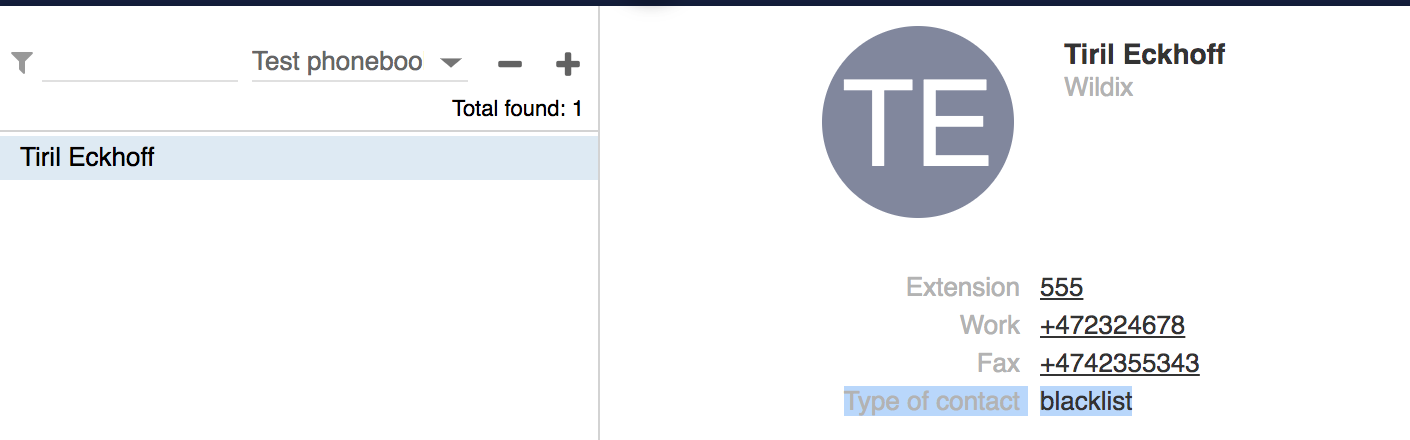
You can add blacklisted contacts to your phonebooks in different modes: from Collaboration, from the imported backend (MySQL, сsv, etc). Here it is described how to add a contact in Collaboration.
- Go to Collaboration -> Phonebook
- Select the desired phonebook and press + to add a new contact
- Set blacklist as a Type of contact
Consult /wiki/spaces/DOC/pages/30278331 for detailed information about how to create phonebooks and contacts.
Step 2. Dialplan configuration
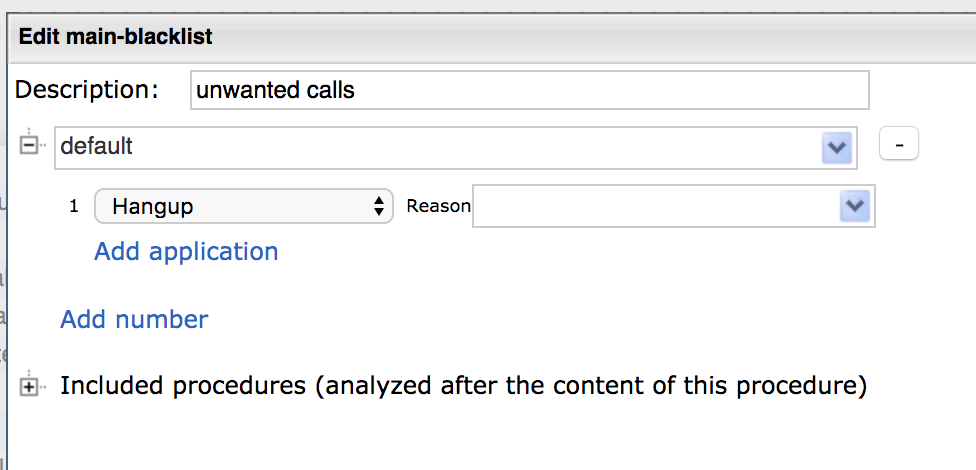
- Create a separate Dialplan procedure for managing calls from blacklisted contacts
- Configure the behavior of managing these calls. For example, add Hangup application
- Go to Dialplan procedure used for managing incoming calls ("main" procedure)
- Add the applications to check if a call is from a blacklisted contact:
- Jump to if call type is -> blacklist -> route calls to the previously created Dialplan procedure for blacklisted calls - if a call is from a blacklisted contact, it is dropped
- Call group -> if it is a normal call, it is routed to a Call group

Alternative Way. Block calls via tagging in Phonebooks and Dialplan
Step 1. Create a dedicated phonebook with blocked users
To define a contact as blacklisted, add [blocked] tag to its name. Detailed information about how to create phonebooks and contacts can be found in Collaboration User Guide.

Note: If a contact is present in other phonebooks, you need to move it to the dedicated phonebook or replace/ rename it in another phonebook. Otherwise, [blocked] tag cannot be applied.
Step 2. Configure Dialplan
Modify Dialplan procedure used for managing incoming calls by adding Dialplan applications:
- Verify caller -> [blocked] -> Blocked procedure - If caller name contains [blocked] tag, a call is routed to Dialplan procedure created for managing calls from blocked users ("Blocked" in the example)
- Dial the phone - if caller name does not contain [blocked] tag, a call is routed to this step
