WebAPI Admin Documentation
This document explains how to add and use WebAPI which allow integrating of Wildix Unified Communications capabilities into web applications and external software (CRM, ERP, Fias/Fidelio).
Updated: October 2023
WMS Version: 5.0X / 6.0X
Permalink: https://wildix.atlassian.net/wiki/x/MA-OAQ
Starting from WMS v. 5.02.20201015.2, a new version of the library is available. The library supports the new oAuth2 authorization and it is recommended to use it in order to ensure more secure performance of your integrations.
Please pay attention that WebAPI has been moved to a new dedicated server https://webapi.wildix.com/. Now you can access it at:
https://webapi.wildix.com/v1/ - the previous WebAPI version, prior to 5.02.20201015.2
https://webapi.wildix.com/v2/ - the new WebAPI version with oAuth 2.0 authentication, starting from 5.02.20201015.2
In order to ensure the correct WebAPI performance, proceed with these steps:
Add https://webapi.wildix.com/ to PBX whitelist in WMS Settings -> PBX -> Security
Only if you use the new WebAPI version: change Redirect URI to https://webapi.wildix.com/v2/oauth2redirect.html in WMS Settings -> Integrations -> OAuth 2.0 applications
Note: the access to WebAPI on wildix.com is extended til 2 May 2021. Up to this date, you need to replace the used links (e.g. https://www.wildix.com/webapi/wtapi.min.js) to ensure your integration continues working.
It is recommended using PBX as a source:
- https://{PBX_DOMAIN}/public/wtapi.js - the old version
- https://{PBX_DOMAIN}/public/wtapi.v2.js - the new version
Introduction
WebAPI is a working demo which you can start using today on your Wildix PBX.
We also provide a JavaScript library and documentation for web developers to integrate Wildix Unified Communications capabilities into web applications and external software (CRM, ERP, Fias/Fidelio).
Requirements
- Wildix PBX
- Min. UC-Business License, in case of Collaboration license on the PBX (see more on the page https://www.wildix.com/licensing/)
- Min. x-bees Standard License, in case of x-bees license on the PBX (see more in x-bees Admin Guide)
Both Wallboard and Hotel Manager require a UC-Premium / x-bees SuperBee license.
Developer Documentation and JavaScript Library
Starting from WMS v. 5.02.20201015.2, a new version of the library is available. The library supports oAuth2 authorization and it is recommended to use it in order to ensure more secure performance of your integrations.
Download the library:
- from the dedicated server: https://webapi.wildix.com/v2/wtapi.tar.gz
- directly from your Wildix PBX using the path: https://{PBX_IP}/public/wtapi.v2.js
Developer's Documentation: https://webapi.wildix.com/v2/doc/.
Read also: PBX Control APIs.
Deprecated version (prior to WMS 5.02.20201015.2)
You can download the JavaScript library from the dedicated server or directly from your Wildix PBX using this path:
https://{PBX_IP}/public/wtapi.jsDeveloper’s Documentation is available online.
Read also: PBX Control APIs.
Access WebAPI Demo
You have several options to access WebAPI demo:
Option 1 - use our online demo version, available at https://webapi.wildix.com/v2/ (the new version)/ https://webapi.wildix.com/v1/(the previous version).
Note that online demo version is not designed for any production purposes as it is just an example of how the integration can perform.
You can use PBX as a source instead:
- https://{PBX_DOMAIN}/public/wtapi.js - the previous WebAPI version, prior to 5.02.20201015.2
- https://{PBX_DOMAIN}/public/wtapi.v2.js - the new WebAPI version with oAuth 2.0 authentication, starting from 5.02.20201015.2
Recommendations on how to access the new version:
Step 1. Add new OAuth2 application for authentication
- Go to WMS Settings -> PBX -> Integrations
- Select Applications -> OAuth 2.0 tab
Click Add to create a new application
Enter Application Name and Redirect URI https://webapi.wildix.com/v2/oauth2redirect.html
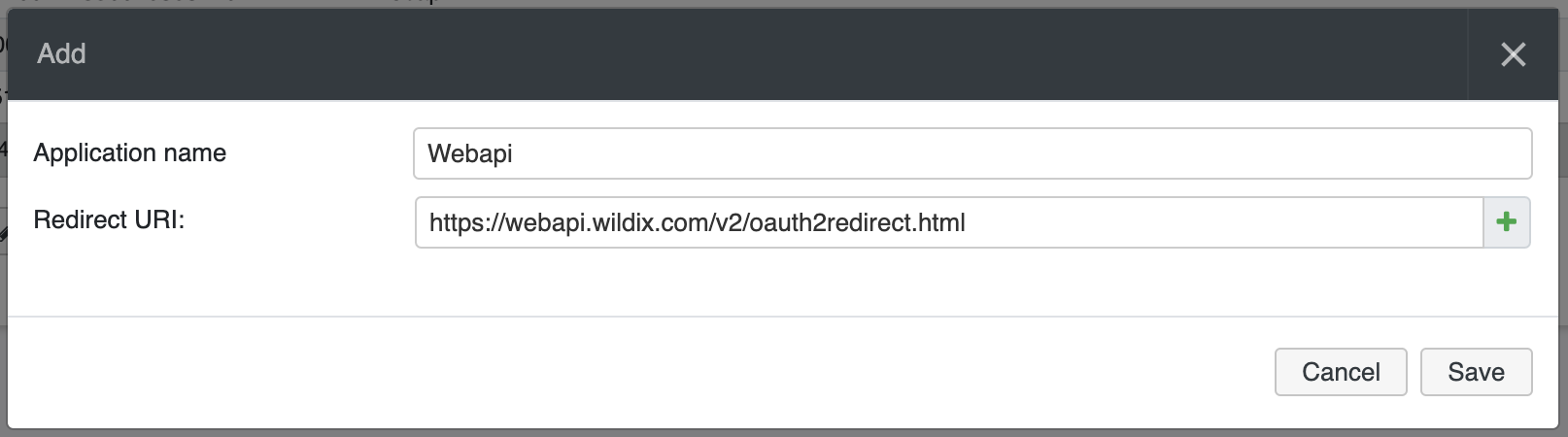
Click Save to add the application
Copy Application ID, you need it for the next step:
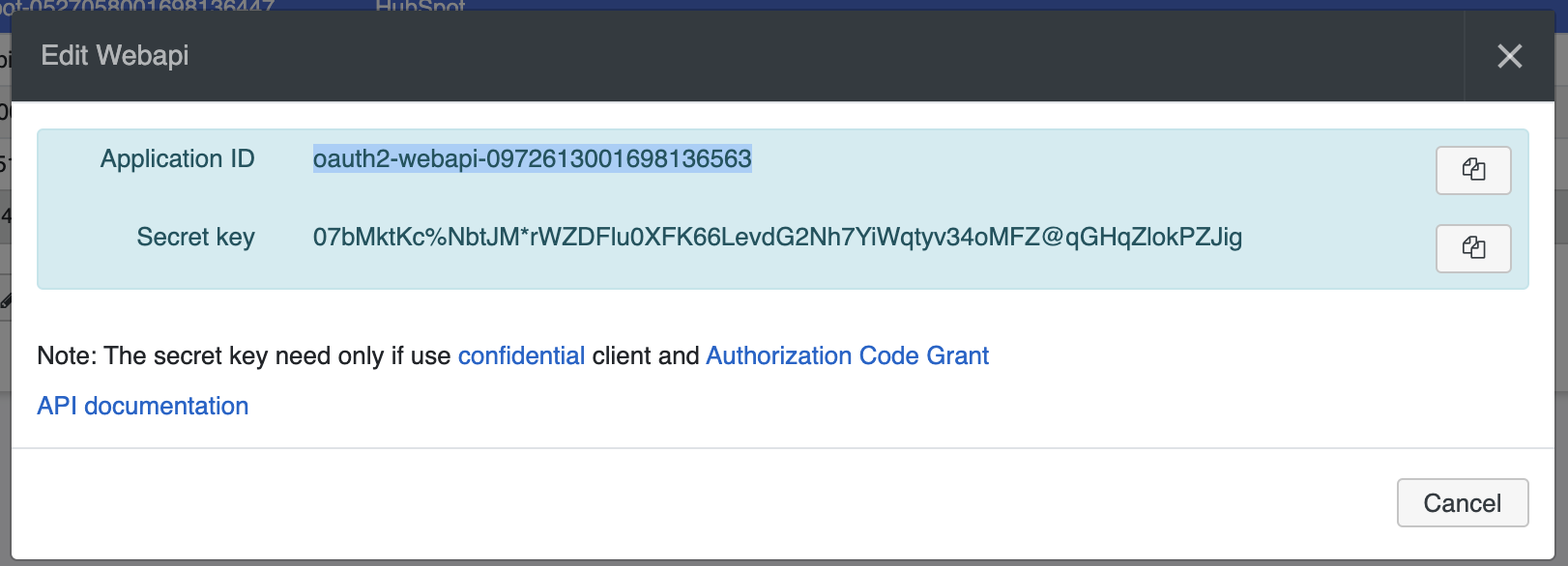
Step 2. Login to WebAPI
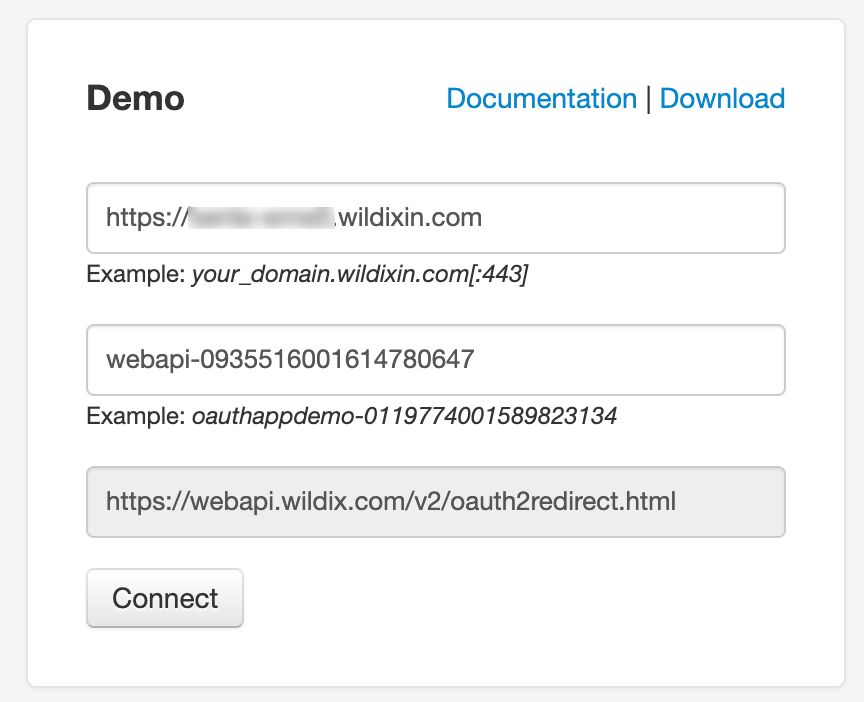
Enter the following data:
- PBX host
- OAuth Application ID: the one you copy in Step 1
- Click Connect
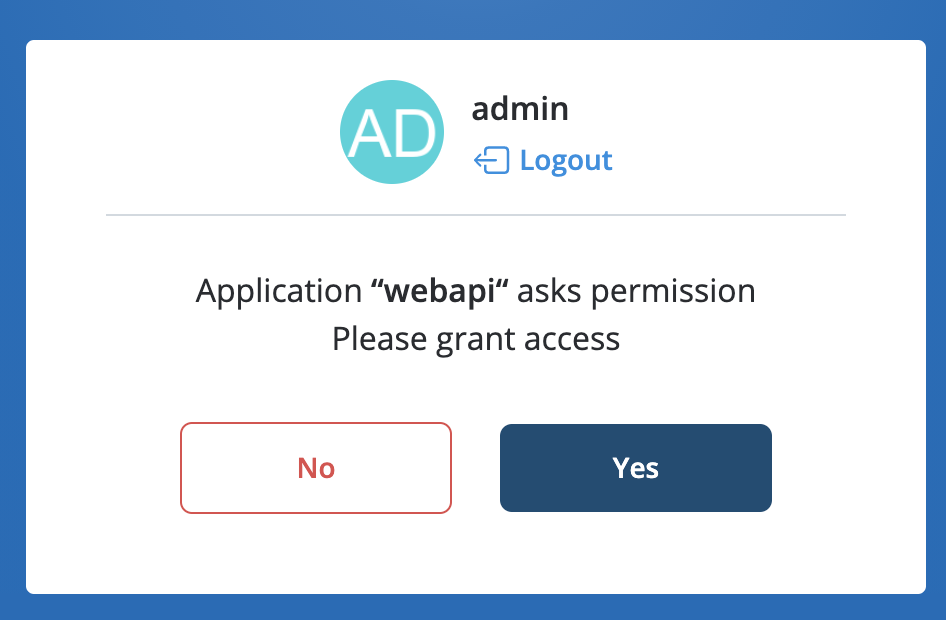
- You are forwarded to oAuth authentication, click Yes to confirm:
For Hotel Manager, you can use the direct link: https://webapi.wildix.com/v2/hotelManager/index.html (the new version)/ hhttps://webapi.wildix.com/v1/hotelManager/index.html (the old version).
Note: Hotel Manager requires a special Dialplan configuration, find an example here.
For Wallboard, you can use the direct link: https://webapi.wildix.com/v2/wallboard/index.html (the news version)/ https://webapi.wildix.com/v1/wallboard/index.html (the old version).
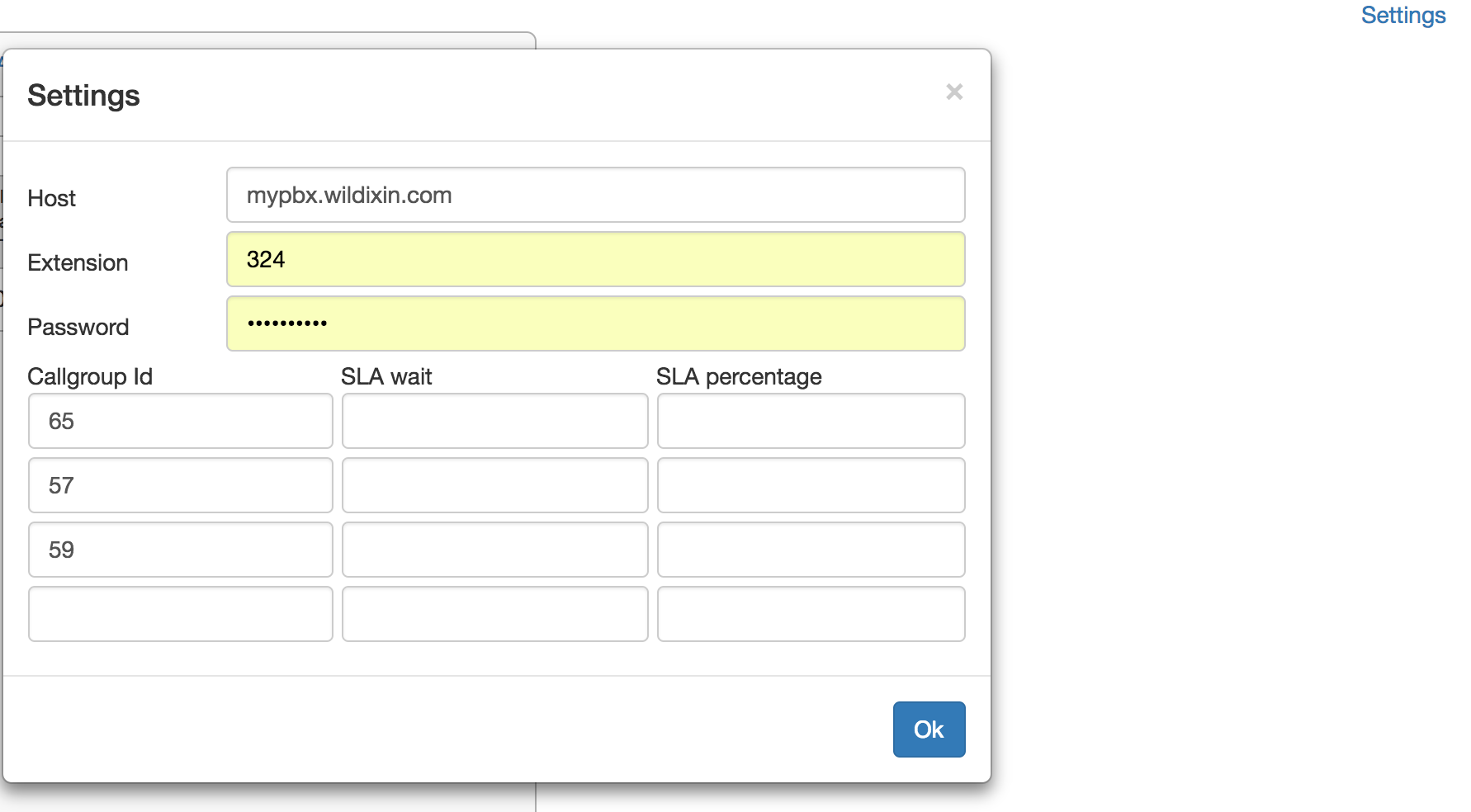
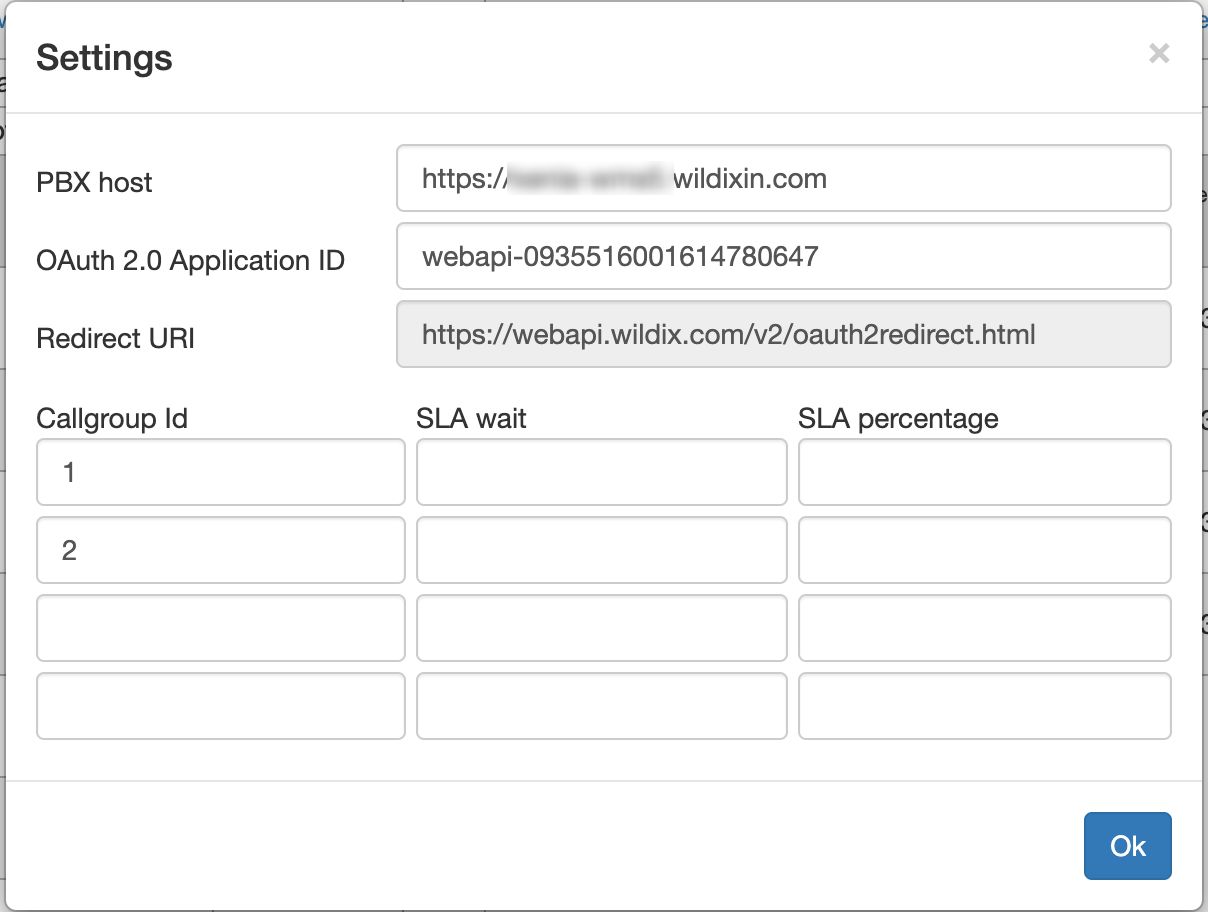
Click Settings and fill in the fields:
Version 1:
- Host: your PBX name
- Extension: extension of user
- Password: WEB password of user
- Callgroup ID: enter the IDs of 1 or more callgroups you want to monitor; SLA wait / percentage parameters are optional
Version 2:
- Host: your PBX name
- OAuth 2.0 Application ID: ID for authentication
- Redirect URI is hardcoded
- Callgroup ID: enter the IDs of 1 or more callgroups you want to monitor; SLA wait / percentage parameters are optional
Ports to open for connection to Hotel Manager and Wallboard: 443 or custom secure port.
If the PBX is local, there is no need to set port forwarding or open ports on firewall, you can access the Wildix WebAPI online demo locally with .*wildixin.com domain:
- Use the link specified above for connection to the online demo version of Wallboard or Hotel Manager
- Open Settings and in the field Host add -2 to the *.wildixin.com domain name of your PBX for LAN port or -1 for WAN port:
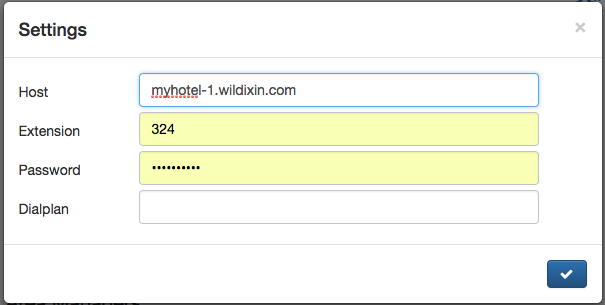
For example, if you add -2 for LAN port -> if the interface has the IP 192.168.0.1 then myhotel-2.wildixin.com will be resolved as 192.168.0.1; if the interface has the IP 10.135.0.1 then myhotel-1.wildixin.com will be resolved as 10.135.0.1 (in this example "myhotel" is the *.wildixin.com domain name of the PBX; use your PBX name instead).
For remote connection you need anyway to open TCP port for HTTPS, and in this case you can use HTTPs and port 80 to connect. Example: https://mypbx.com:80/ or custom secure port https://mypbx.com:433 (or another custom secure port, specified on the page SIP-RTP in WMS).
Option 2 - upload WebAPI to a web server reachable via HTTP/HTTPS
Option 3 - upload WebAPI on the PBX:
- download the JavaScript library as described in the previous chapter
- connect to the PBX via SSH
- create the folder (if it doesn't exist yet) /var/www/scripts
copy the folder of your application (e.g. Hotel Manager or Wallboard) to /home/admin using the command scp
For WebAPI version 2, make sure to copy wtapi.v2.js and oauth2redirect.html files.
- move the folder via SSH from /home/admin to /var/www/scripts using the command mv
- edit the owner (chown wms:wms -R /var/www/scripts)
- now you can access the page by this link: https://your_PBX/scripts/application_folder/index.html
Starting from March 2018, the latest versions of the most popular web browsers drop support for cross-requests for the protocol schema "file://".
To continue using Hotel Manager and Wallboard, you need to add the domain to the whitelist in WMS Settings -> PBX -> Security; see documentation: Domain Whitelist (Allow Origin).
In case you are using Wildix online demo available at webapi.wildix.com add the domain webapi.wildix.com to the whitelist.
In case you are using WebAPI uploaded on your web server, add your server domain to whitelist.
WebAPI Basic Features
WebAPI library consists of four plugins:
- Console: allows you to control Wildix devices registered to your extension to place, answer and manage calls (hold, record, call transfer)
- Chat: exchange chat messages with PBX users
- Subscription: monitor presence status and geolocation of PBX users, set your own DND / away status
- Call groups:
- receive a list of call groups and members of each group
- monitor active calls on call groups
- dynamically add members to call groups
- put call group members on pause
- see the waiting time
Call groups plugin usage notes:
- It is not possible to add a user to a group over the WMS Network
- For a user who has been dynamically added to a call group, the user preferences do not work (DND, mobility, call forwarding…), “Call waiting” feature is off. For group members added via WMS, user preferences work and “Call waiting” feature is on
- The ACL ability “can/cannot manage a callcenter” allows a user to perform actions on call groups’ members: put a user on hold, add users to call groups. In case the ability is disabled (“cannot mange a callcenter”), a user can perform the actions only on himself (add himself to a call group, put himself on pause in a call group)
WebAPI library includes three additional modules:
- Predictive Dialer
- Hotel Manager
- Call center Wallboard
Predictive Dialer
Predictive Dialer allows you to generate a number of outgoing calls equal to the number of free call agents plus a number of spare calls.
The number of spare calls allows boosting the call center performance by pre-dialing final customers.
Immediately after answer, a final customer can hear a message informing him/her that their call is forwarded to a call agent. While waiting for the answer, either music on hold or a ringback is reproduced.
Features:
- Start/stop calling the customers
- Manage the call agents and monitor their realtime status
- See the number of called customers waiting for an answer
Note: Predictive Dialer requires a special Dialplan configuration, for more details contact Wildix Tech Support or post your request on Wildix Tech Wizards Facebook Group.
Hotel Manager
User who needs to access Hotel Manager should be assigned at least a Business license. If you also need to use call billing feature, you need a Premium license (CDR-View).
For access to Hotel Manager, read the chapter Access WebAPI Demo.
Features currently supported:
- Monitor PBX users and rooms with their realtime status information
- Check-in and check-out
- Block of outgoing calls in case the room status is vacant
- Request to make up the room
- Set up wake up calls
- View call history and call costs
Only users of "admin" type can set wake up calls, check-in / check-out and set make-up room status.
For more information about Hotel Manager, read Hotel Manager Guide
Note: If you are looking for Fias Hotel integration, read documentation: Hotel Integration - FIAS protocol.
Wallboard
User who needs to access Wallboard should be assigned a Premium license.
Full list of supported features: https://www.wildix.com/call-center-wallboard/.
Note: This version of Wallboard is an online demo, which can be used "as is".
We provide a JavaScript library which allows a web developer to fully customize this template. Read the chapter Developer Documentation.
For access to Wallboard, read the chapter Access WebAPI Demo.
Example of Wallboard and explanation of counters:
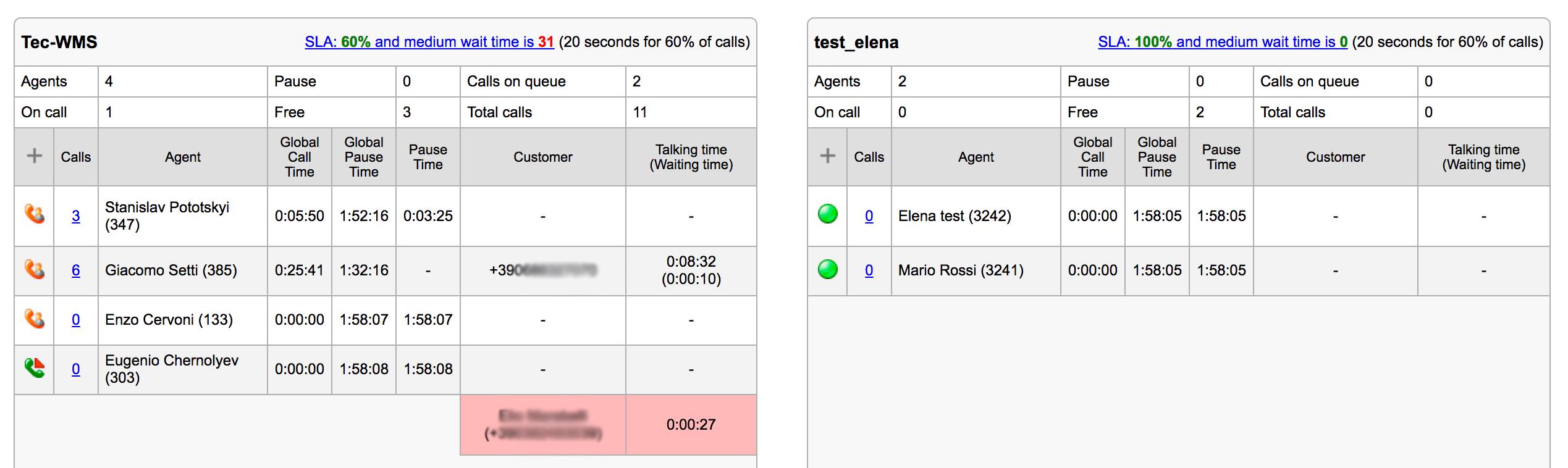
The counters start once you connect.
- “Calls”: number of calls the agent has managed
- “Global Call Time”: the time this agent has spent in conversations
- “Global Pause Time”: total idle time of this agent
- “Pause Time”: time that has passed since the last call
- “Total calls”: total number of incoming calls to this queue
- “Calls on queue”: number of active calls on this queue
Add / remove a call agent: click on + (the 1st column) and add an extension.
Incoming calls waiting in queue are displayed below the table in red color.
User status icons legend:
- Green = available
Light blue = not connected to Collaboration/ x-bees or user not added to roster
If monitored users are not added to roster of a manager (the user whose credentials are used to access Wallboard), their user statuses are displayed as "Offline" with Light blue icon regardless their actual user statutes (ringing/ talking/ paused etc).
If monitored users are not connected to Collaboration/ x-bees, but added to roster, then only "Offline" status are displayed with Light Blue icon, while other statuses are displayed with the appropriate icons. So, if a user has a connected WP device, but is not logged into Collaboration/ x-bees, when the phone is ringing, Light Blue icon changes to Red phone icon etc.- Red phone icon = talking on the phone
- Clock icon = away
- Brick icon = do not disturb
- Pause icon = on pause;
- Green phone icon with red arrow = incoming call
Note: After changing any Call group parameters in WMS, the actual change on Wallboard appears with ~10s delay.