Fax Printer for Microsoft Windows and Mac OS X
- Elena Kornilova
- Tatiana Bieliakova
Fax Printer allows you to send faxes from any Windows or Mac OS X 10.13 and higher application that support the “Print” option, using Wildix Fax Printer.
Updated: March 2022
Permalink: https://wildix.atlassian.net/wiki/x/FA-OAQ
Send faxes with Wildix Fax Printer
Fax Printer allows you to send faxes from any Windows or Mac OS X 10.13 and higher application that support the “Print” option, using Wildix Fax Printer (merged into WIService starting from WIService v. 3.7.1).
Note: Fax Printer in Windows Terminal server is supported
Prerequisite: only A4 files with “Portrait” orientation are supported
Installation
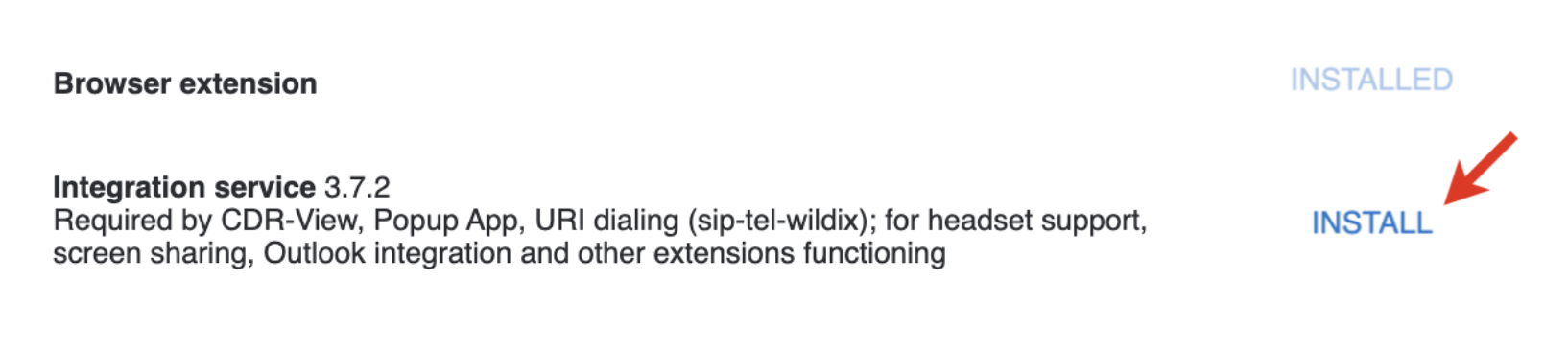
Go to Collaboration Settings > Extensions and install WIService:
Send a fax
- Select the file and click Print, otherwise open the file and select the “Print” option in the menu
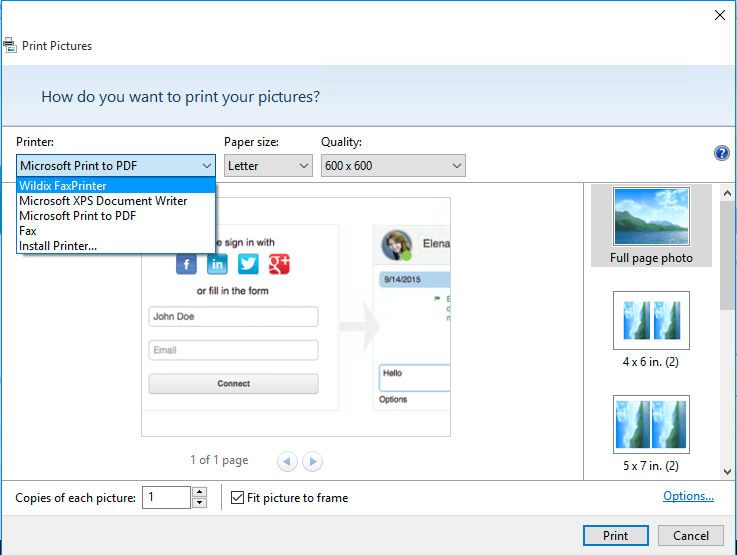
- Select “Wildix FaxPrinter” in the list of available Printers
- Click Print
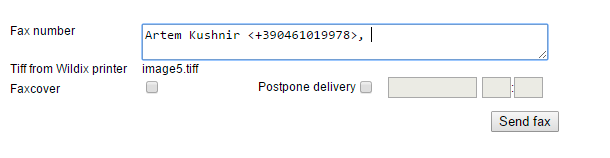
- “Send fax” window of Collaboration is opened automatically in the browser allowing you to enter or select the fax number and to send the fax
Example Windows:
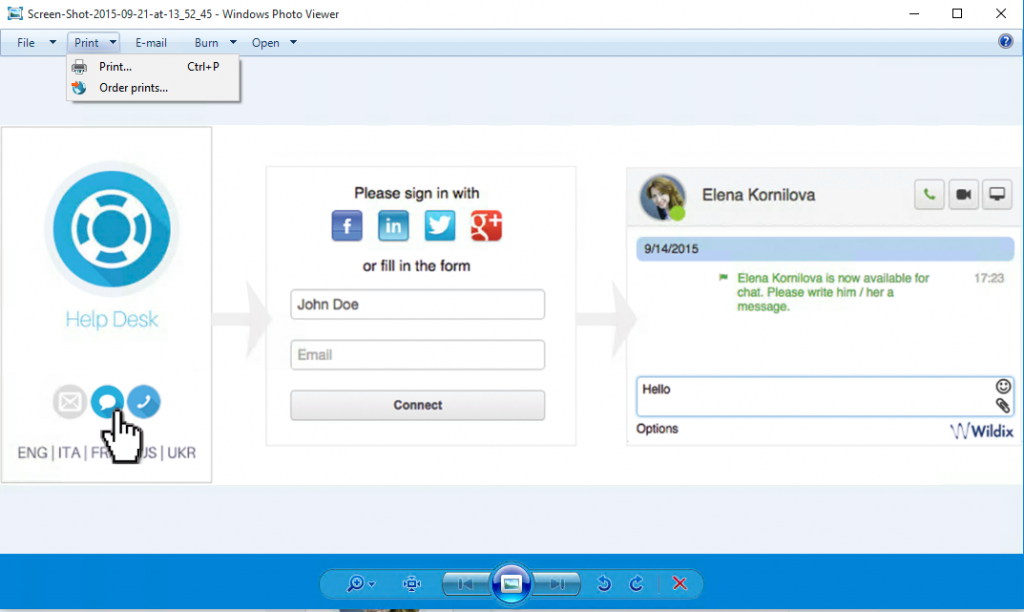
1. Open the file and select the “Print” option in the menu
2. Select “Wildix FaxPrinter” from the list of Printers; change paper size to A4; click on Print
3. Collaboration Fax window opens automatically: enter the fax number (you can optionally add the fax cover page and postpone the delivery) and click Send fax
Example Mac OS X:
1. open the file and select the “Print” option in the menu
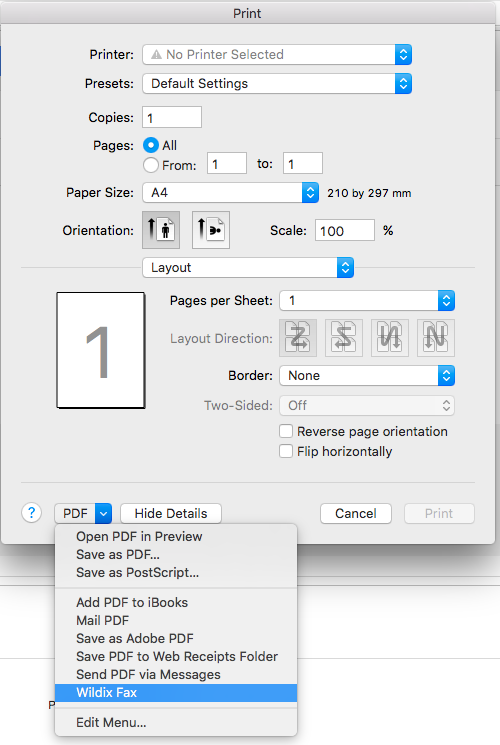
2. Collaboration Fax window opens automatically: enter the fax number (you can optionally add the fax cover page and postpone the delivery) and click Send fax
.png?version=1&modificationDate=1568982466000&cacheVersion=1&api=v2&width=430&height=111)